☁️ Azure Machine Learning — Practical Work
I worked in an Azure ML workspace (with preconfigured storage and compute) to build and run machine learning pipelines.
Pipelines were primarily created using the Azure ML Designer interface, for data preparation, training, and evaluation.
This work was part of my self-study in the Microsoft Azure Machine Learning for Data Scientists learning path, which introduced the essentials of Azure ML workflows.
🔧 Environment & Resources
- created an workspace, with blob storage and a CPU cluster for training/inference.
- Pipelines were authored in Azure ML Designer, focusing on clarity and reproducibility.
- Runs were tracked in Experiments, with metrics and outputs stored automatically.
📚 Datasets
Three tabular datasets were used to practice supervised and unsupervised workflows.
Each dataset was uploaded and referenced in multiple experiments.
- Automobile price (regression): predicting numeric price from mixed features.
- Diabetes (classification): predicting binary outcome with medical predictors.
- Penguins (clustering): unlabeled dataset segmented with K-Means.
1) Regression — Automobile Price Prediction
Predicted vehicle price using a tree-based regressor.
The pipeline captured the flow from ingestion to evaluation, with Web Service I/O blocks included for deployment readiness.
Key steps
- Preprocessing: select columns, normalize features.
- Modeling: tuned tree-based regressor; cross-checked with AutoML.
- Evaluation: RMSE/MAE/R² logged per run.
2) Classification — Diabetes Risk
Built a classification pipeline to predict diabetes risk.
Several runs were performed, including debugging and reruns to ensure reproducibility.
Key steps
- Preprocessing: handle missing values, normalize, encode categorical features.
- Modeling: logistic regression and gradient boosting.
- Evaluation: AUC, F1, precision/recall logged and compared across runs.
3) Clustering — Penguins (K-Means)
Segmented observations in an unsupervised setting to validate cluster structure.
Key steps
- Preprocessing: select columns, clean missing values, normalize.
- Modeling: K-Means with silhouette scoring; tested different k values.
- Evaluation: cluster sizes and centroids exported for profiling.
🤖 Automated ML — Baselines
Ran AutoML experiments for regression and classification to compare with manual pipelines.
Key steps
- Benchmarked metrics such as AUC and RMSE.
- Reviewed preprocessing defaults suggested by AutoML.
- Used results to guide manual pipeline adjustments.
📈 Tracking & Reproducibility
Azure ML automatically logged metrics, parameters, and outputs for each run.
Failed runs were preserved, helping document the process and debugging steps.
Screenshots
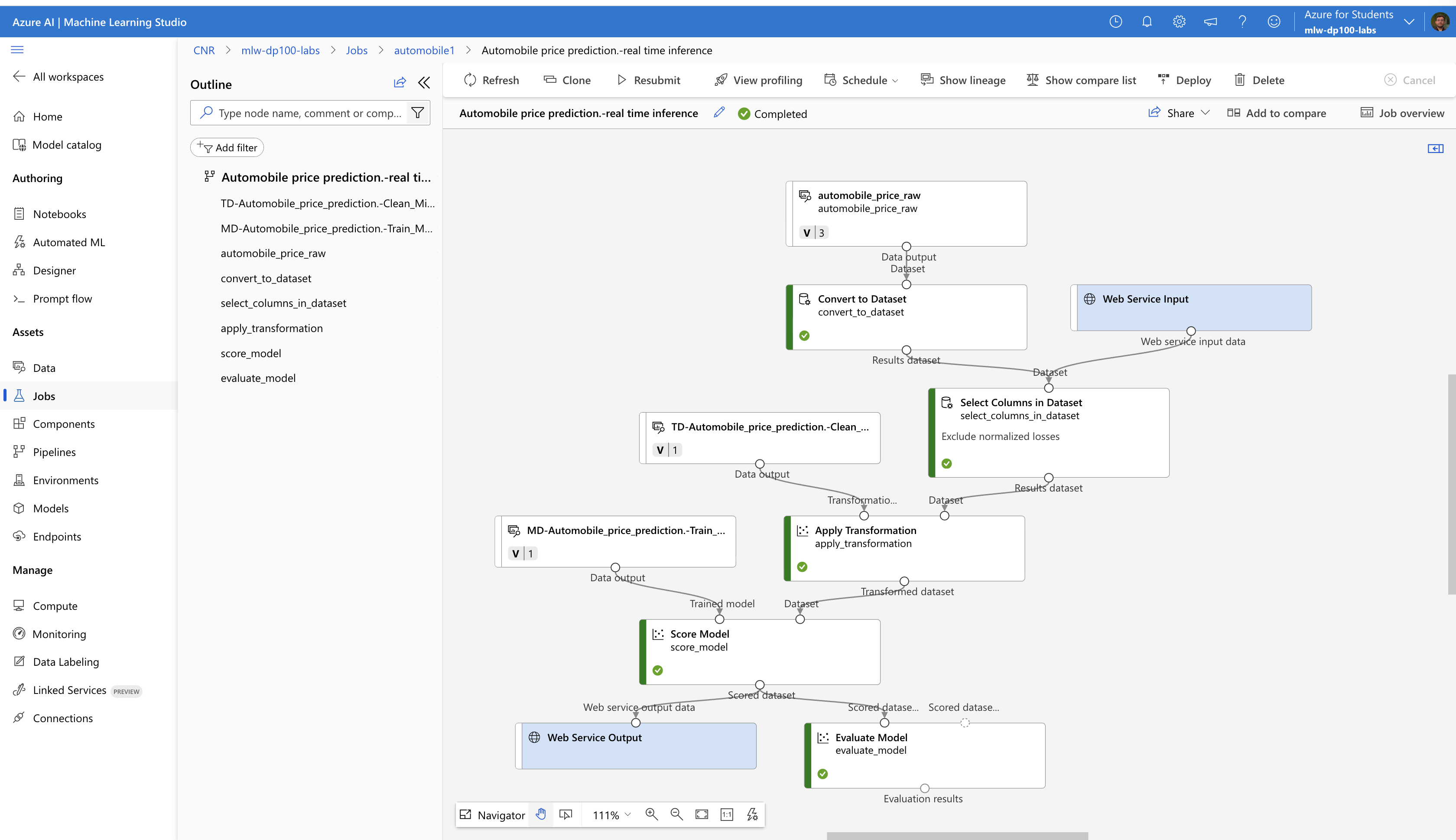
Automobile price regression — real-time inference
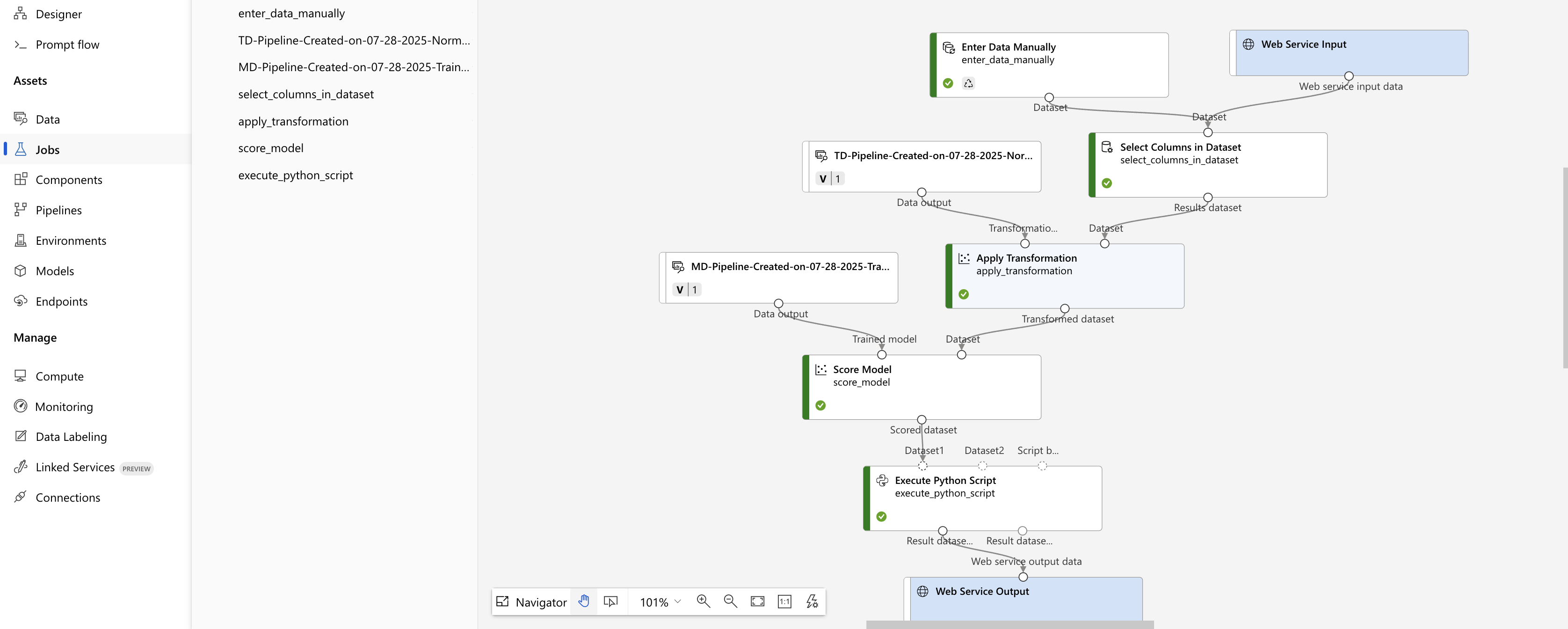
Diabetes classification — Designer flow
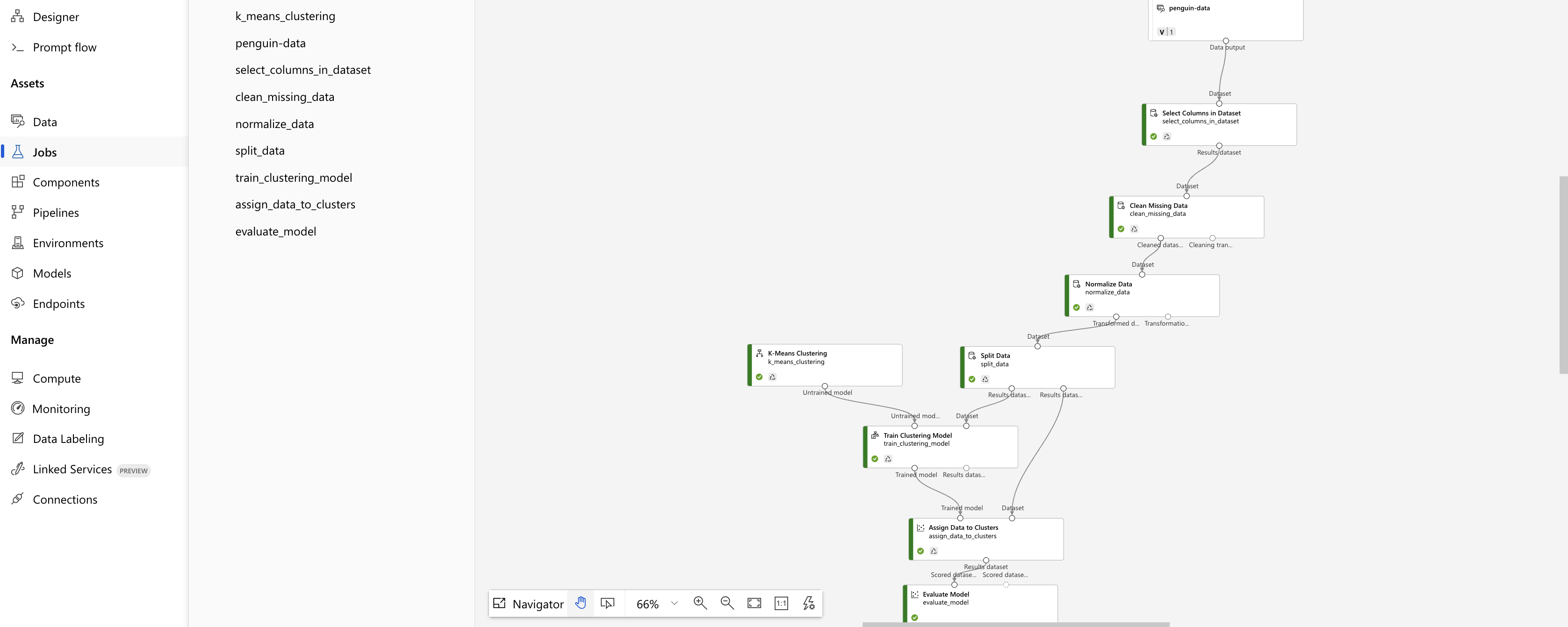
Penguins clustering — Designer flow